Fully discrete left and right paths with per-channel component tolerances, mic/line inputs, low and high cuts, and optional stereo link.
Early access · native plugin
A 70s Console Classic Reborn
DN1000 is a dual-channel recreation of a favorite vintage '70s mixer, modeled at the component level: transformer input, three discrete transistor stages, and three switchable output irons.
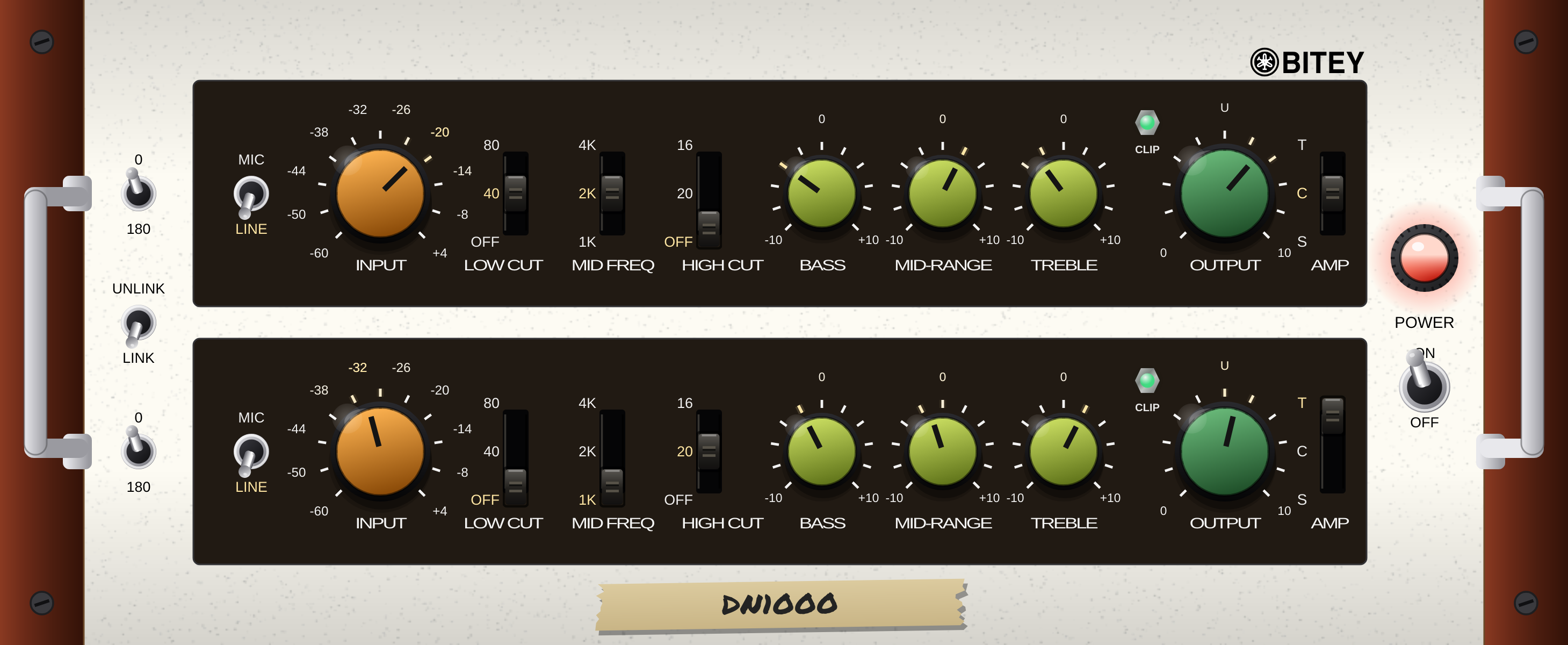
The DN1000 · two channels, three output irons
Early access availableVST3 + AUMacDual channel
01 · The machine
Built for the road.
Built for the road.
Loved in the studio.
In the 1970s, the finest sound reinforcement consoles were built fully discrete: transformer-coupled inputs, transistor gain stages, inductor EQ and power supplies with real muscle. Engineers began pulling channels out of those live rigs and racking them in studios, where they became first-call favorites. The DN1000 is one of those channels, recreated at the component level: an input transformer, three discrete transistor stages, and three switchable outputs, with power-supply sag, thermal drift and analog hiss completing the vintage behavior.
The original-style transformer, a hi-fi Cinemag, and a nickel-iron design with triode gain and beam-tetrode output. Three flavors, one switch.
Shared power-supply sag couples the channels, bias memory makes repeated peaks behave like real transistors, and warm-up drift rewards leaving it on.
02 · Download
Join the early access list.
Enter your name, email and platform. Once the form is received, the download area opens below.
Your early access download
macOS installation
Download the latest Mac installer, then follow these steps if Gatekeeper or your DAW blocks DN1000.
Download Mac installer- Run the installer. Download and open the
.pkgfile. It removes any previous DN1000 build automatically. - Approve it in Gatekeeper if macOS blocks it. Go to System Settings → Privacy & Security, scroll down, then click “Open Anyway.”
- Clear quarantine if your DAW still refuses the plug-in. Open Terminal and run the AU command below. For VST3, use the second command.
xattr -cr ~/Library/Audio/Plug-Ins/Components/DN1000.componentxattr -cr ~/Library/Audio/Plug-Ins/VST3/DN1000.vst3 - Rescan plug-ins in your DAW, then load DN1000 as an AU or VST3.
Windows early access
The Windows installer will appear on the same GitHub releases page when it is ready.
Check Windows releases ↗Windows build coming soon. You’re on the mailing list, and we’ll notify you when it is available.
Used only for DN1000 early access updates and release notices. No list-selling, no unrelated mail.